BoxerBase
Streaming overlay#
The streaming overlay is a browser source for OBS, vMix, and similar tools. It is not the ring-corner Live score screen. Live score is for displays in the hall; this overlay sits on top of a camera feed.
You first design the overlay in a configurator (names, scores, background). When it looks right, you copy a link that hides the configurator. That copied link is what you add as a web source.
Each session and ring has its own overlay URL. A layout can be copied from a demo or from yesterday onto today.
How it works#
- An organizer opens Stream link from the matchlist menu for that ring and session.
- The overlay page shows the live bout plus a settings panel. Changes write into the URL.
- Copy the URL at the bottom of the panel (it includes
hideconf). Add that URL as a browser / web source. - The source follows the current bout: names, round, clock, and scores according to your settings.
- Optional: the organizer also stores the public livestream URL with Set stream URL, so everyone on the matchlist gets a Stream button to the broadcast.
Practice on a demo overlay first. When the real event links exist, paste the demo URL into Reuse overlay so the same layout applies to the new session.
For organizers#
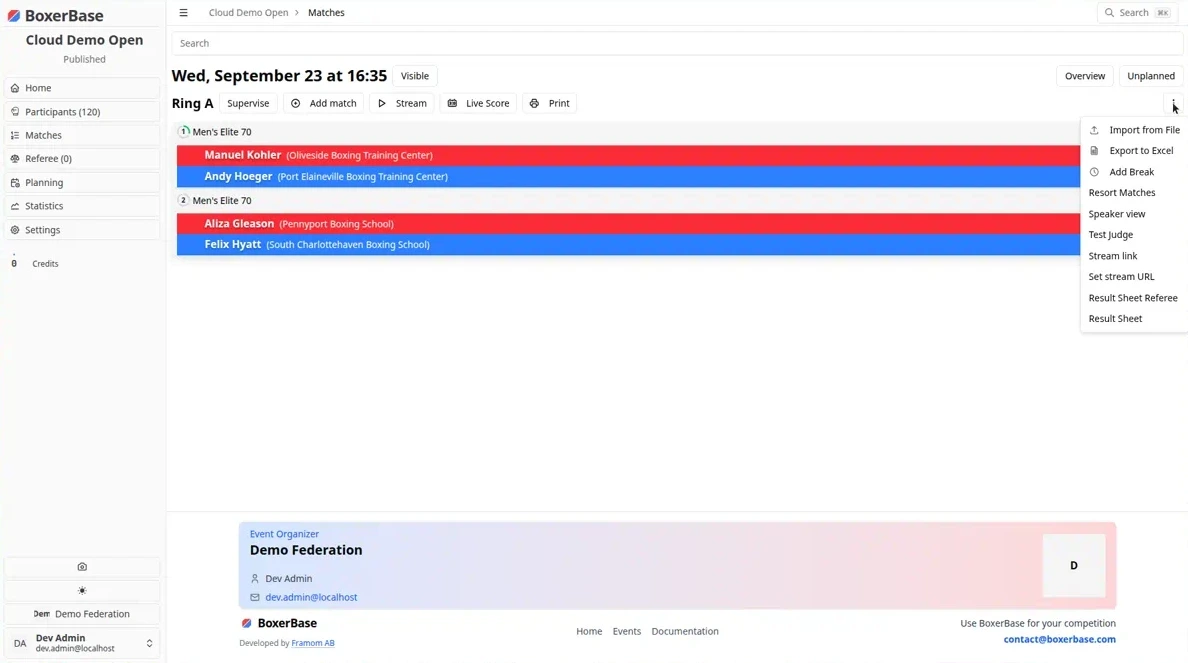
Stream link and Set stream URL sit in the three-dots menu above the matchlist. That menu is visible to organizers (canViewHidden), not to the public.
Stream link#
- Open Matches for the event.
- Select the session and ring you will stream.
- Open the three-dots menu and choose Stream link.
- Send that overlay page to the streaming crew, or configure it yourself and send them the copied source URL from the bottom of the panel.
There is a separate overlay for every session / ring. Do not reuse yesterday’s full page path: reuse the configuration (see Reuse a layout).
Set stream URL#
This stores the public broadcast (YouTube, Twitch, or any HTTPS page), not the overlay source.
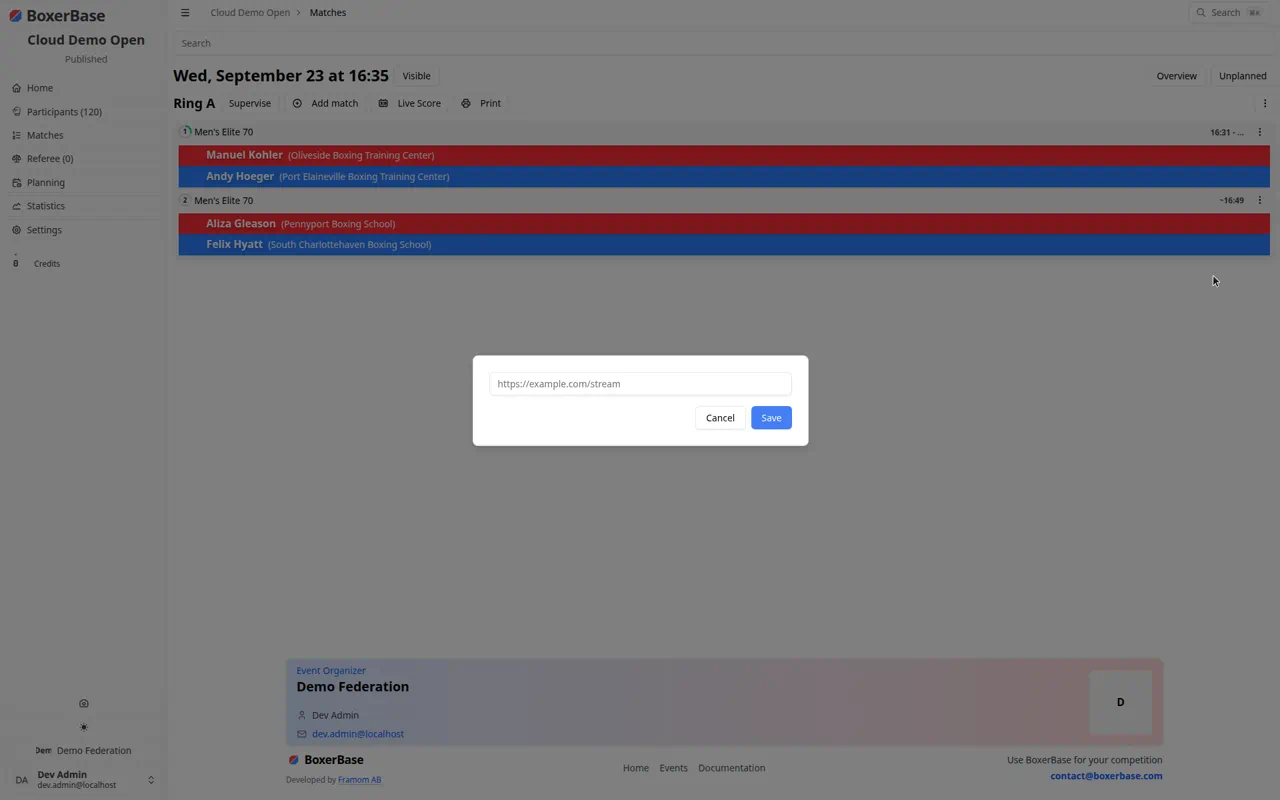
- In the same menu, choose Set stream URL.
- Paste the livestream link and save.
When a URL is saved, a Stream button appears above the matchlist for everyone. It opens the location you stored.
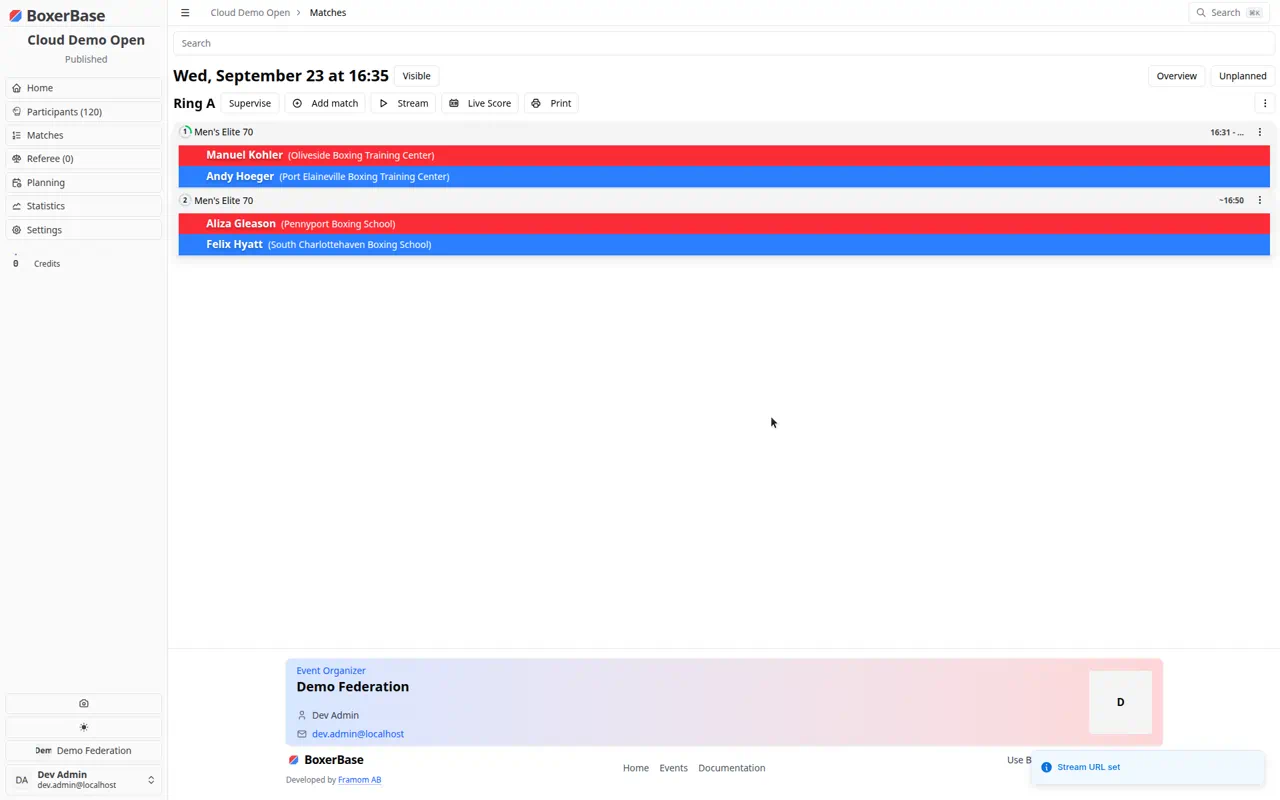
Worth doing both: Stream link for the overlay crew, Set stream URL so clubs and spectators can open the broadcast from BoxerBase.
For streaming crew#
Open the configurator#
Use the overlay page from Stream link. You will see the live name (or score) graphics and a panel in the middle of the screen.
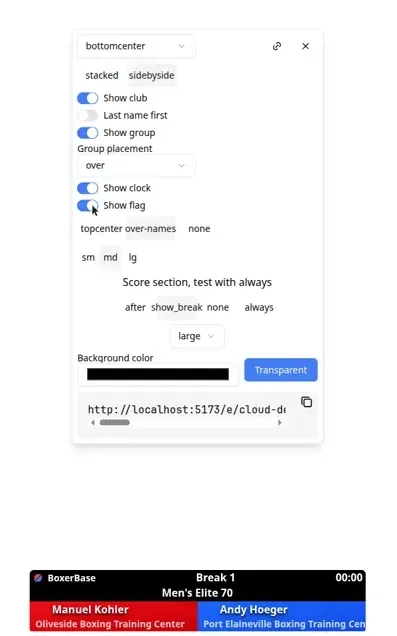
The panel is only for setup. The copied source URL does not show it.
Name cards#
- Position:
bottomcenter,topleft,topright,bottomleft,bottomright, orfree. Withfree, drag the name card (it snaps to edges and center). - stacked / sidebyside: red and blue on top of each other, or next to each other.
- Show club: organization under the name.
- Last name first: family name before given name.
- Show group: category and weight. Placement can be over, under, or with_round.
- Show clock: round time next to the round label.
- Show flag: country flag on the name.
- Round placement:
over-names(bar on the name card),topcenter(round/clock in the middle of the top), ornone. - Size:
sm,md,lg.
Turn options on while you compose. What you see in the configurator is what the source will show (except the panel itself).
Score section#
The label Score section, test with always is intentional: use always while you choose size and placement, then switch to the mode you want on air.
- after: scores only after the bout is finished.
- show_break: scores during the break between rounds, driven by the supervisor clock (about ten seconds once the round is scored).
- none: never show the score table.
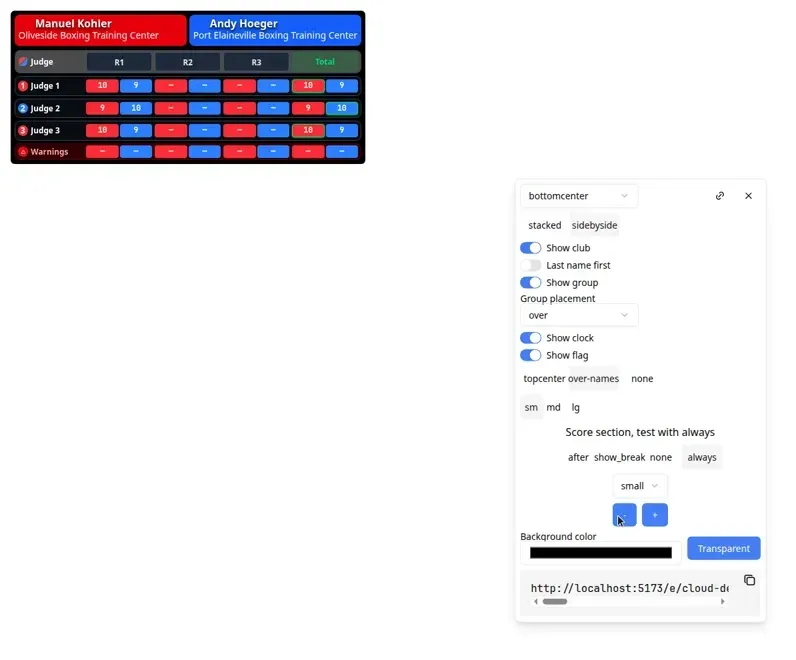
- always: always show the score table. Use this to set scale and position.
Style:
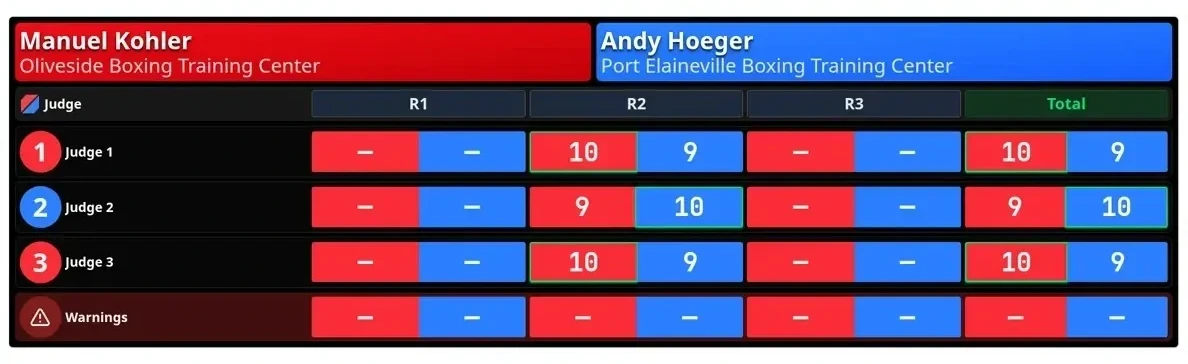
- large: full-width scoreboard in the center. It is an opaque black card with white names, so it stays readable on any camera feed (the overlay cannot know the video behind it). Use + / - to scale.
- small: compact card. Drag it to where you want it on the frame.
If the event’s scoring rules hide round scores until announcement, the overlay follows that rule.
Background#
- Transparent: recommended when the software supports a transparent browser source. Add the page as a web source on top of the camera.
- Color picker: some crews prefer a solid green (or another key color) and chroma-key it out in their software.
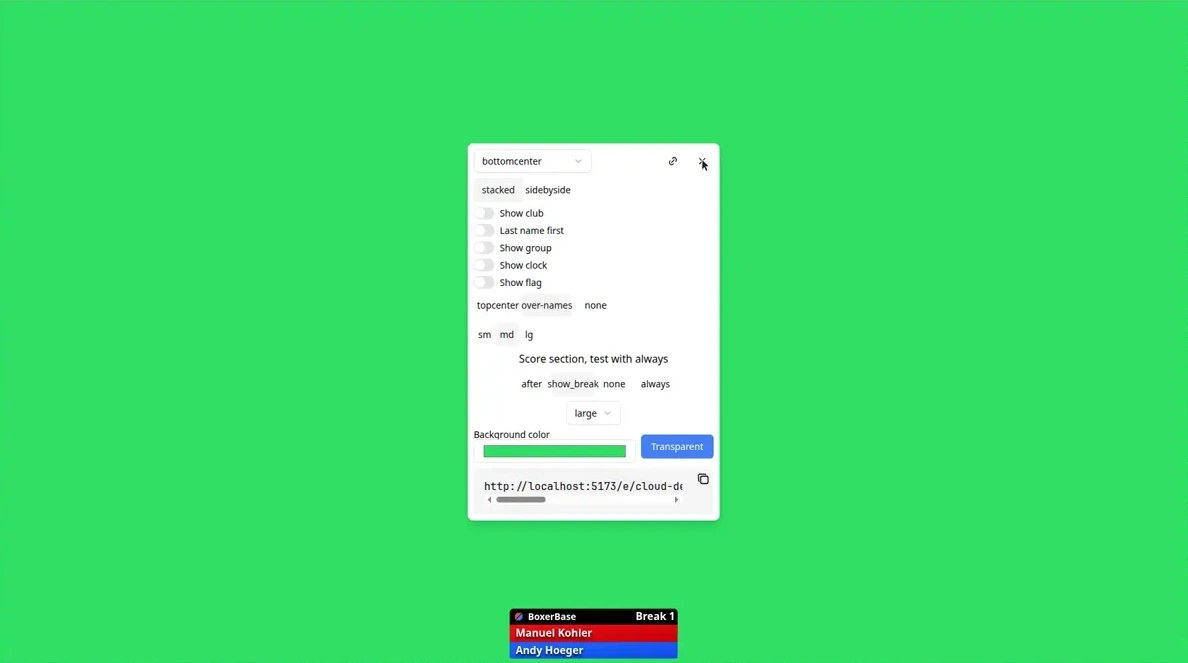
Click Transparent to clear a color.
Copy the source link#
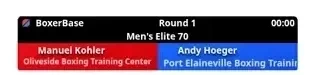
The URL at the bottom of the panel is the browser source. Copy it with the icon in that box. That URL includes hideconf, so the configurator is hidden.
You can also press X on the panel to preview the source in the same tab.
In OBS (or similar):
- Add a Browser / Web source.
- Paste the copied URL.
- Set width and height to your program size (for example 1920×1080).
- Enable a transparent background if you used Transparent.
- Refresh the source if names do not appear until a bout is current.
The overlay stays empty when the ring has no current bout.
Reuse a layout from day to day#
Overlay links are per session and ring. Do not keep using yesterday’s full URL on today’s ring.
- Open today’s overlay (Stream link for that session).
- Press the link icon at the top right of the panel.
- Paste yesterday’s (or the demo’s) overlay URL.
- Press Set overlay. Layout query parameters apply to the current session; the path stays on today’s ring.
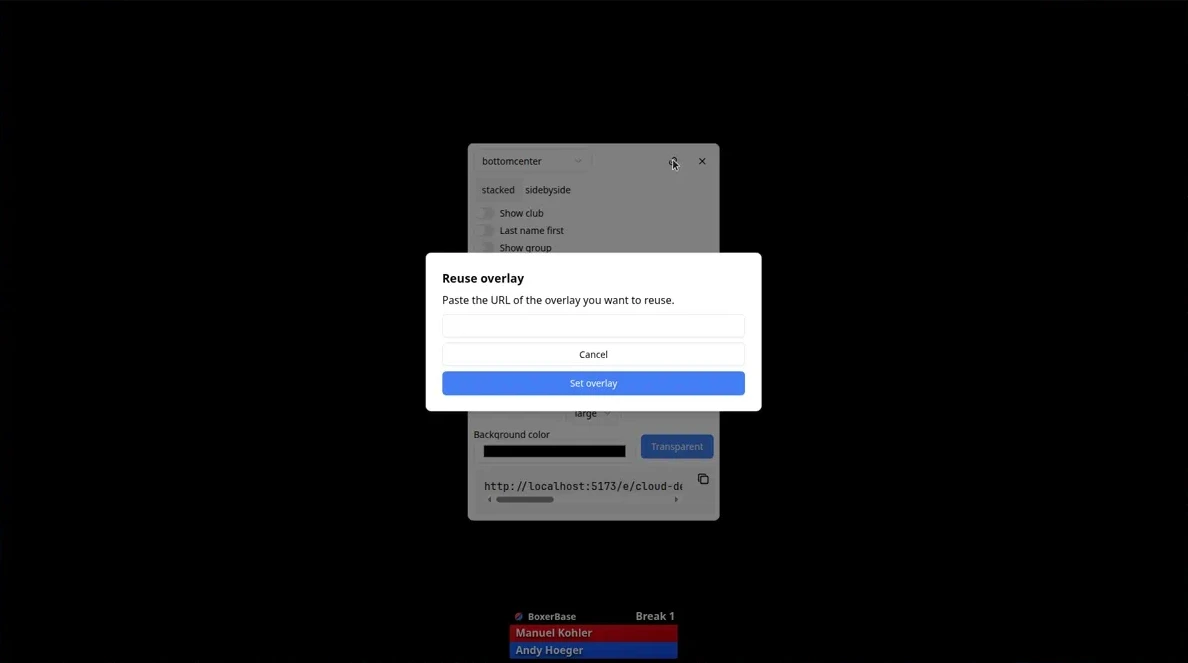
The same paste works from a demo overlay onto the real event once those links exist.
Suggested order on event day#
- Organizer: Set stream URL to the public broadcast.
- Organizer: Stream link for each ring that is on camera.
- Streaming crew: open the configurator, set always to place scores, then switch to show_break or after as agreed.
- Copy the source URL into the streaming software. Confirm names update when the supervisor starts a bout.
- Next session: open the new Stream link, reuse yesterday’s URL with the link icon.
Common questions#
Is this the same as Live score? No. Live score is a full page for corner screens and LED walls. The streaming overlay is a transparent (or keyed) graphic for a video mix. See Live displays for hall screens.
Who can open Stream link? Organizers with access to the matchlist actions menu. The copied source URL itself can be opened without that menu, so you can send it to the crew.
Why is the overlay blank? There is no current bout on that ring, or you are on the wrong session/ring URL. Confirm Stream link from the matchlist you are actually running.
Can one overlay show every ring? No. Each overlay is one ring in one session. Add one browser source per camera/ring.
Do I need to reconfigure every day? No. Paste the previous overlay URL into Reuse overlay on the new day’s Stream link.